Members and families
Every student and their household in one place — contact details, emergency contacts, and a find-anything search that gets the front desk to the right person in seconds.
SteadyMembers is the software behind a membership school: the members, the billing, the schedule, and the progress — in one calm console that works as well on your phone as at the desk. Built for martial arts schools first, and shaped for any school that runs on memberships.
$149/month, flat. Month to month. Your data exports free if you ever leave — in writing, in the terms.
The demo is a whole pretend school, kept stocked: forty students, their families, classes on the calendar, bills in every state, a belt test coming up. Two doors, no sign-up form — one opens the owner’s console, the other opens a family’s portal, so you can see both sides of the desk. Nothing in it is real, it resets every night, and you can click anything.
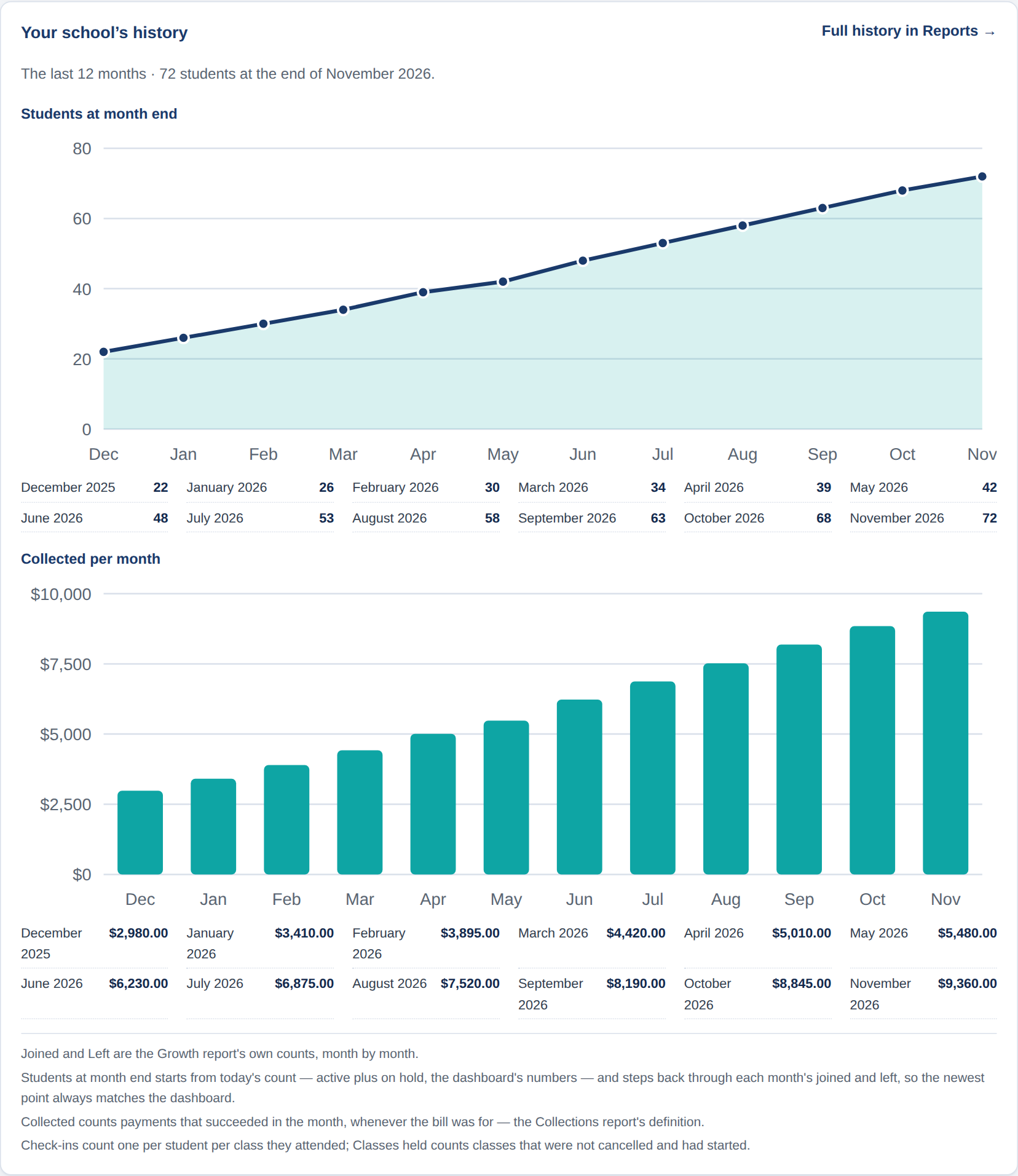
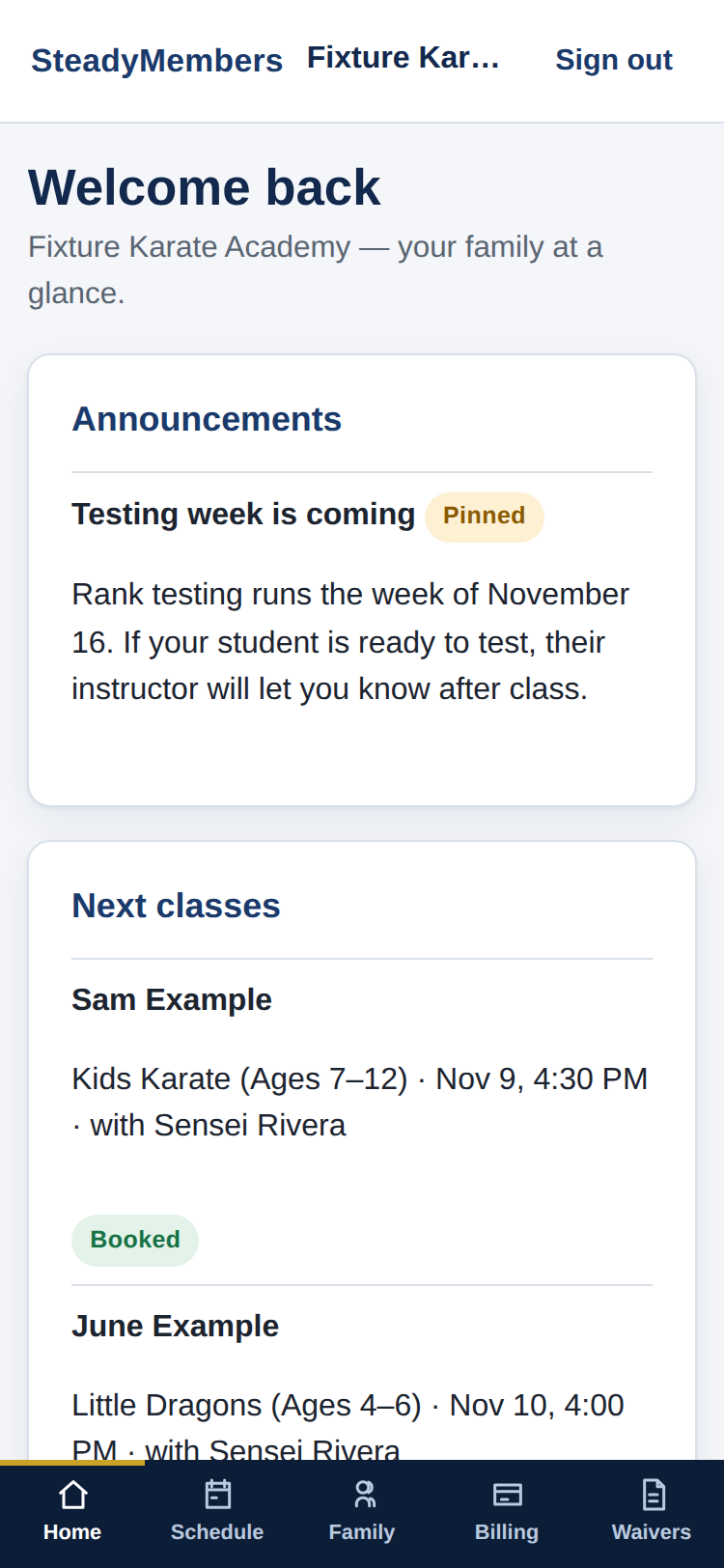
The year behind you, right on the console home — and the family portal your members carry in their pocket. Pictured with a demonstration school’s sample data.
Every student and their household in one place — contact details, emergency contacts, and a find-anything search that gets the front desk to the right person in seconds.
Plans bill themselves on schedule. Failed payments retry and land on a clear task list when a person needs to step in, so money stops slipping through quietly.
Recurring classes that roll forward on their own, rosters, one-tap check-in, a self check-in kiosk, and private lessons with pack balances that count themselves down.
Each student's level and requirements, tracked against your own curriculum. Testing days, ready-to-test lists, and promotions recorded with the history to prove them.
Families see schedules, progress, and bills, sign waivers and agreements, and book — without calling the front desk for any of it.
Events with registrations, announcements and review requests, and an automation engine that handles the routine follow-ups — plus an API, webhooks, and Zapier when you want to wire more together.
Seven stops, one per part of the job — every picture is the real console or portal, running on a demonstration school’s sample data.
Sales, leads, trials, conversions, and memberships, one family at a time. Every figure is also printed in plain text under its panel, with the counting rules spelled out — no chart that can't be checked.
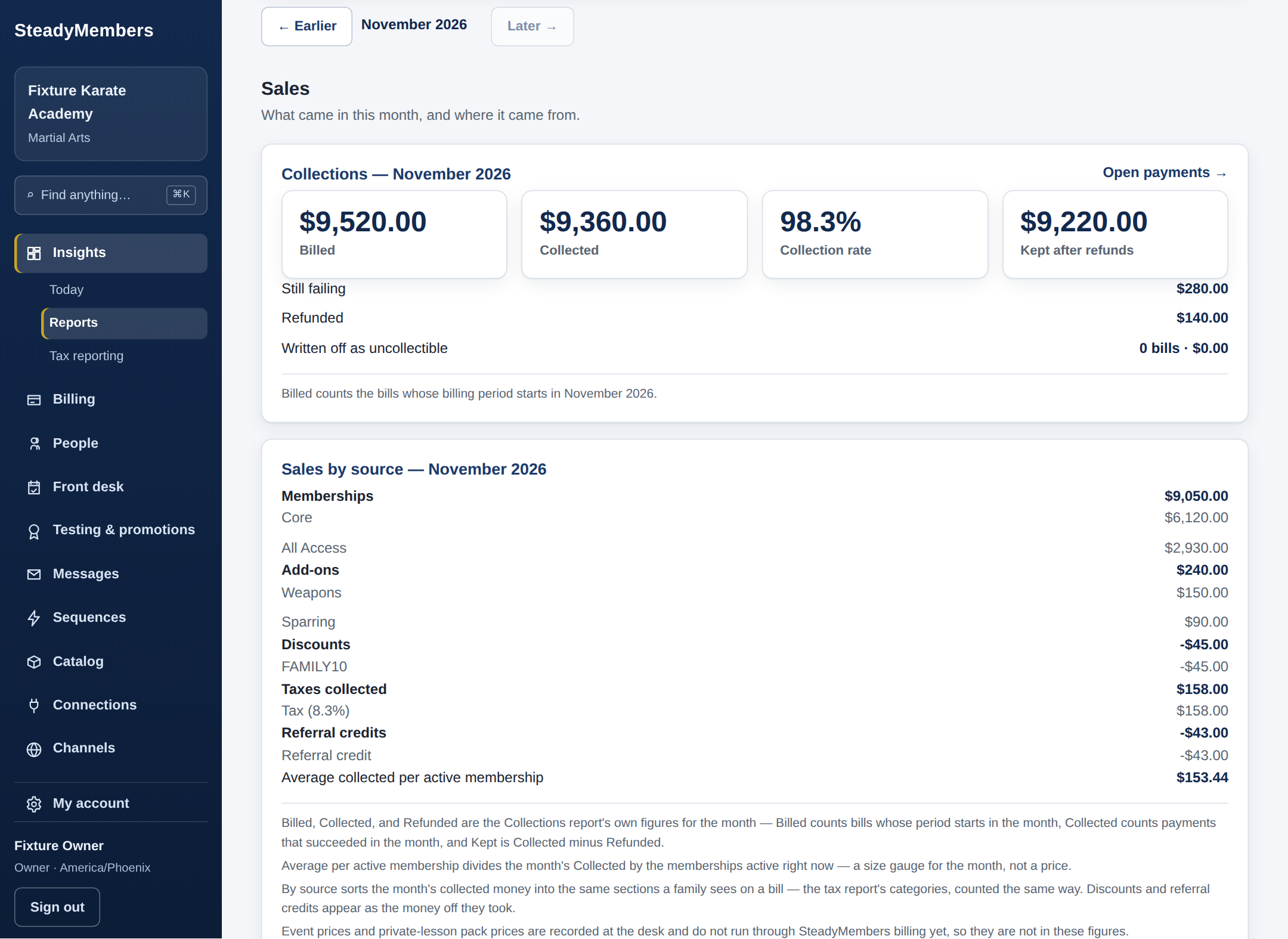
Insights — Sales: what came in this month, and where it came from. Demonstration school, sample data.
When a family disputes a charge, it lands here with the bank's own reason, the amount, and the answer deadline — close deadlines in red. Write the school's response in the same place and send it from there.
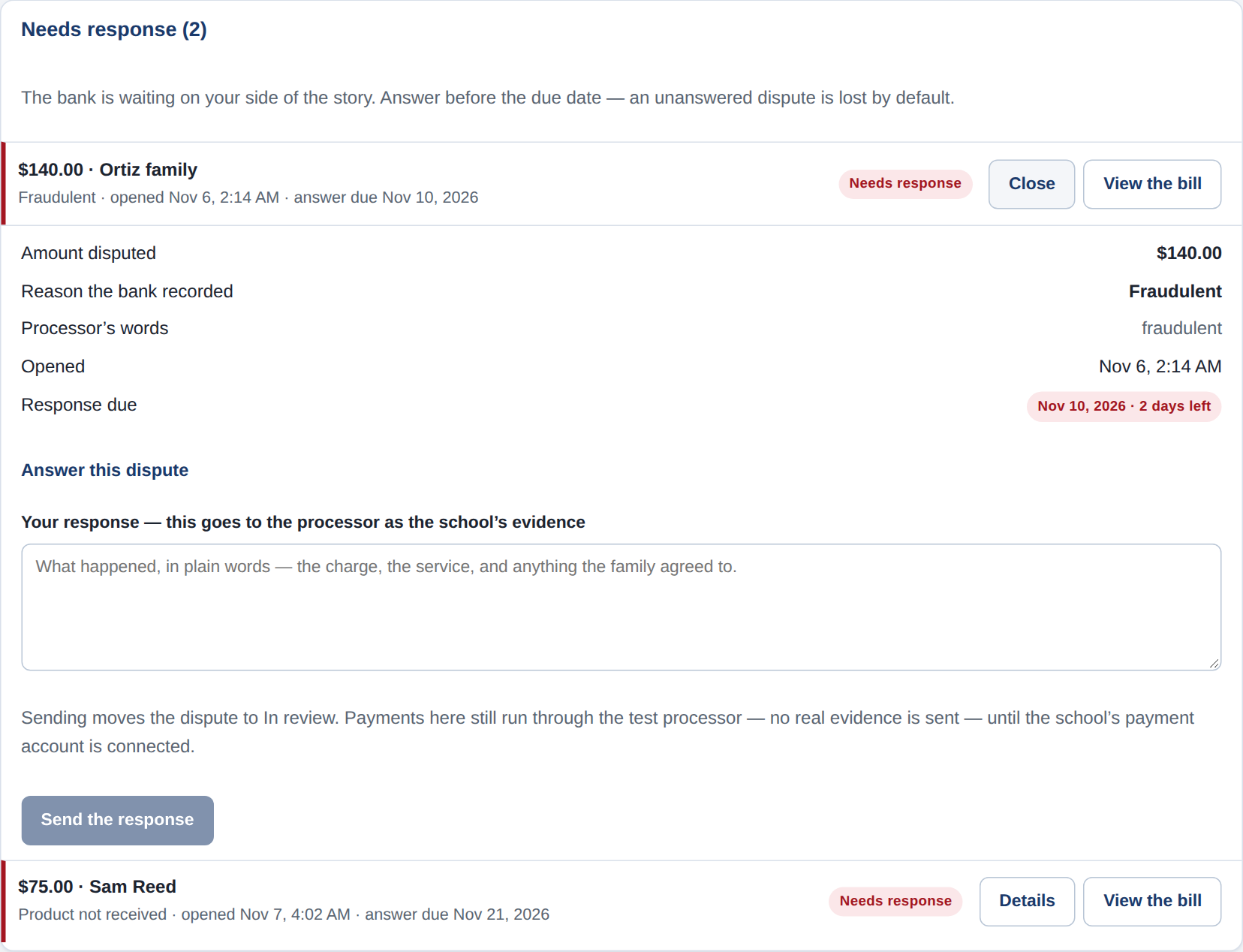
Billing — the disputes center, one dispute opened and ready to answer. Demonstration school, sample data.
Pick a period and see the money broken down the way a tax preparer asks for it: memberships plan by plan, add-ons, discounts, taxes collected, referral credits, and refunds — with a summary and a detail file to download.
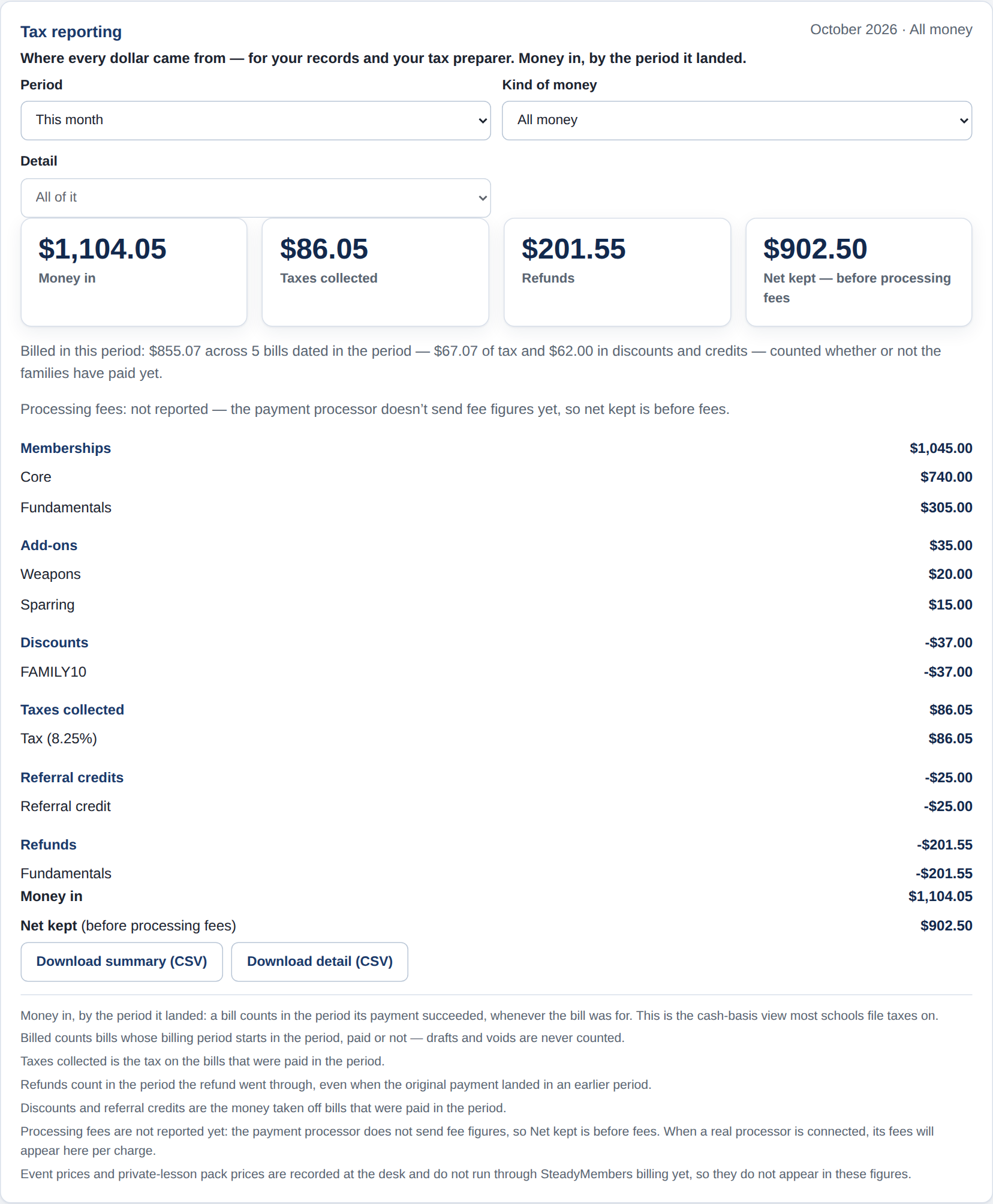
Tax reporting — the October breakdown, ready for the bookkeeper. Demonstration school, sample data.
Students, trial families, the people who pay, the people with portal access — views, not boxes, so one person can be in several at once. And your fields: uniform size, preferred contact, whatever your front desk tracks, defined by you.
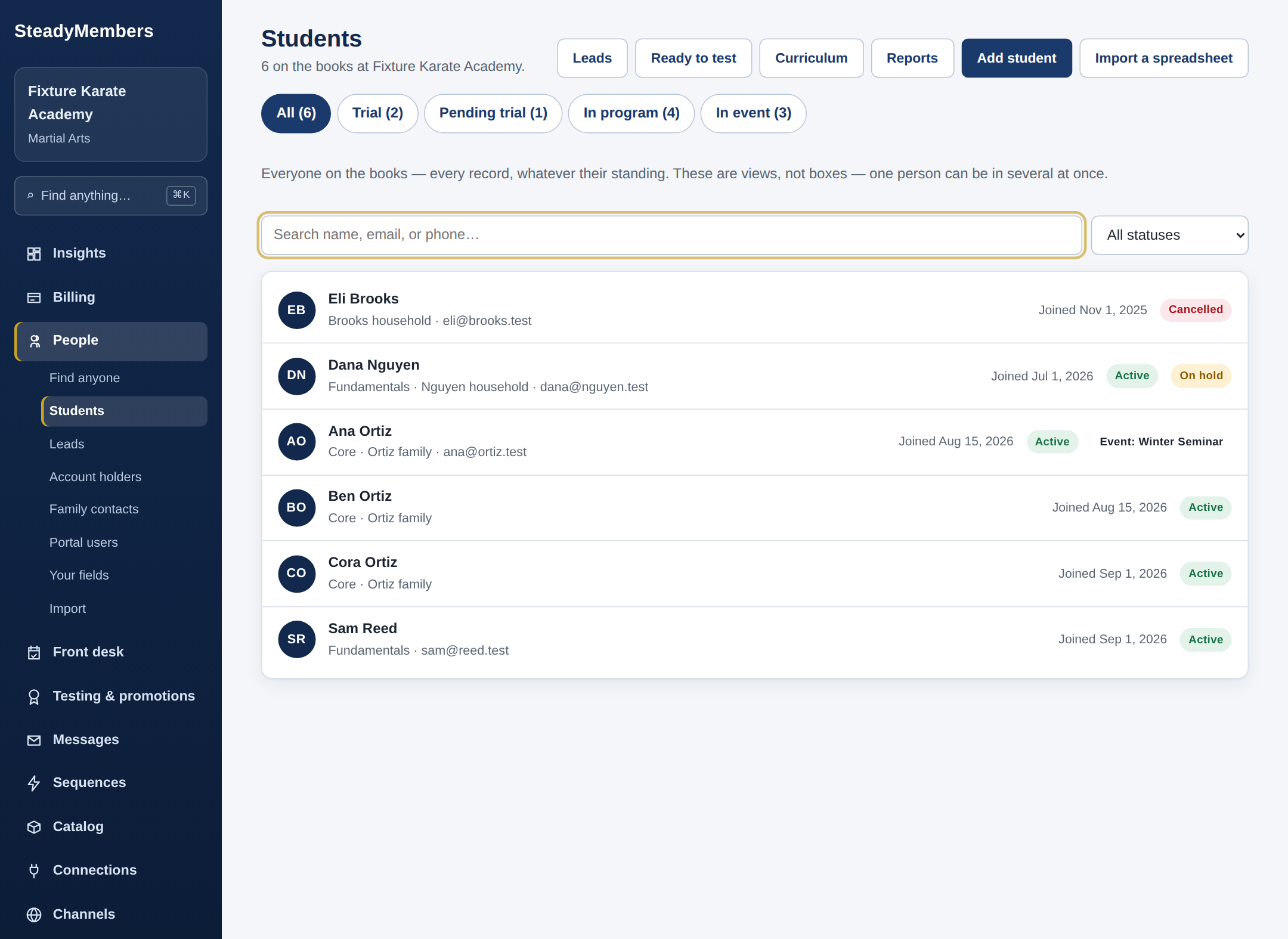
People — the views across the top are the same people, sorted different ways. Demonstration school, sample data.
Courses built from your own curriculum for students learning at home. Open them to every student, or make them a plan benefit and only students on a plan that includes the curriculum keep them — the switch shows you exactly who keeps access before you flip it.
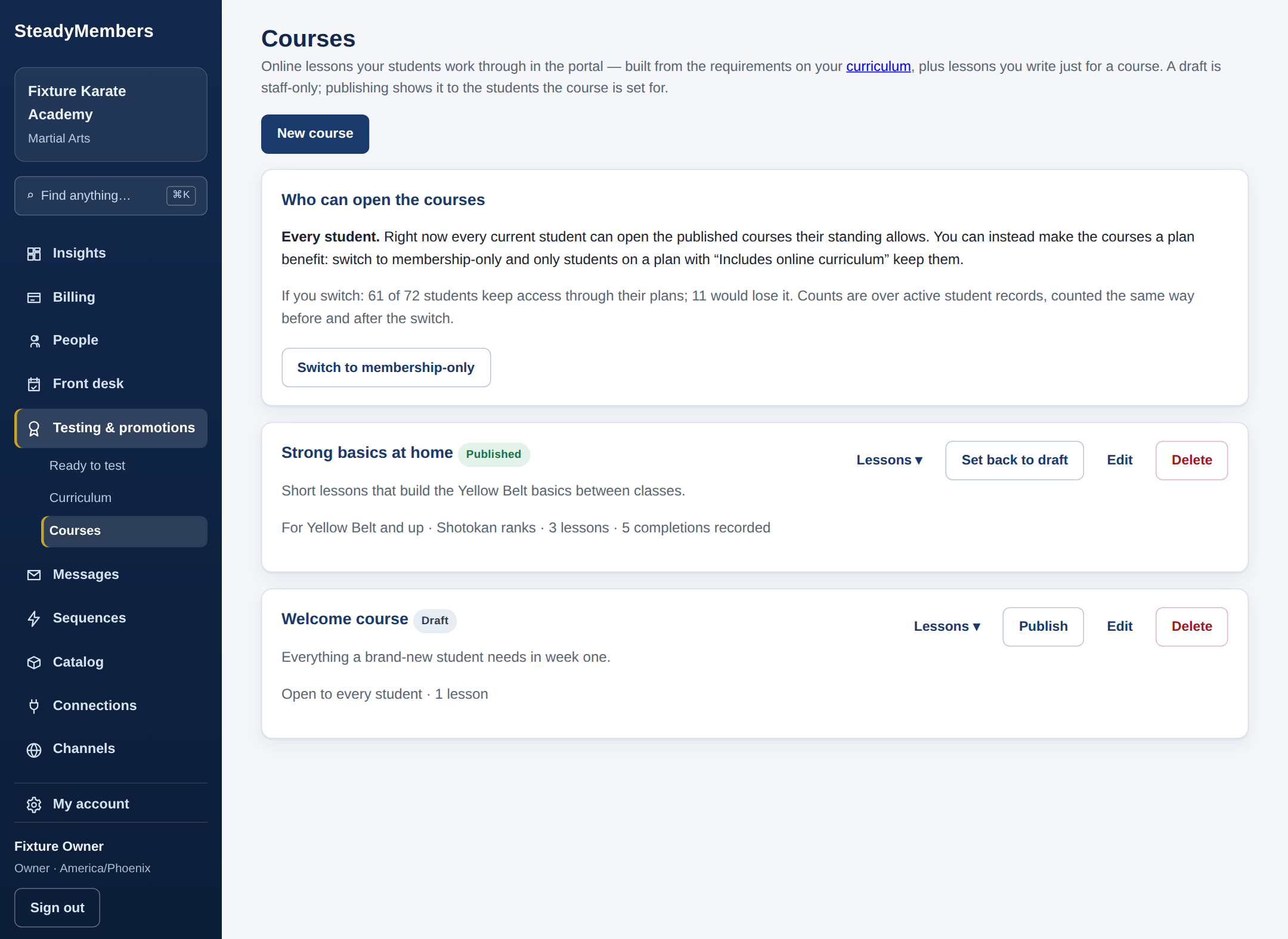
Courses — built from the school's curriculum, with the access choice up front. Demonstration school, sample data.
Families see schedules, progress, and bills, sign waivers and agreements, and book — without calling the front desk for any of it. No app to install; it's the school's own page, sized for the phone in a parent's hand.
The family portal — next classes, progress, and the latest bill. Demonstration school, sample data.
If our team ever needs to work inside your school, a request lands in your account with the reason in plain words. It starts only when you approve it, runs only for the time you approved, and every change made is listed in your record.
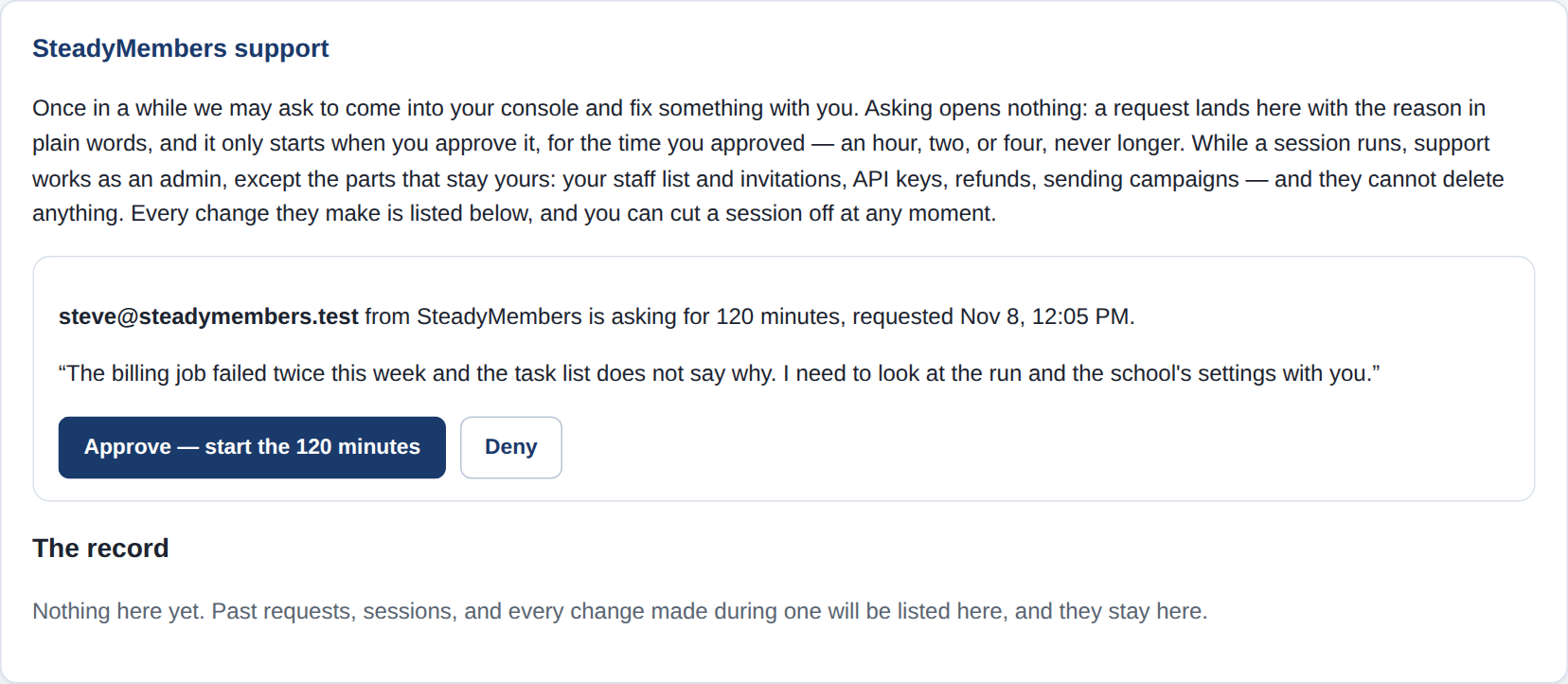
Support access — a request waiting for the owner's yes, with the full record kept. Demonstration school, sample data.
Export everything — members, billing history, all of it — free, any time, in full. The export button works on your last day exactly like your first. That promise is in the terms, not just on this page.
Coming from another system? Guided import brings your members in, and we help with the move. Schools on systems that won’t hand over payment details re-collect cards through the family portal while both systems run — we’ll walk you through it honestly before you commit.
Month to month at one published price. No setup fee, no per-student fees, no contract to buy out. And if we ever need to look inside your school to help, we ask first — support sessions are approved by you, timed, and every change is listed for you to see. Nothing happens in your school without a record.
$149/month, month to month — every feature, every student, no tiers and no per-student fees. Start when you’re ready; export everything and leave whenever you like.